How do I print a business activity summary by tax fee report? (2025.02)
Reports
A business activity summary by tax fee report breaks down a business's activities by the specific taxes and fees it is responsible for collecting and remitting. This type of report is typically used to provide detailed information to tax authorities or internal stakeholders regarding the allocation and payment of various tax obligations.
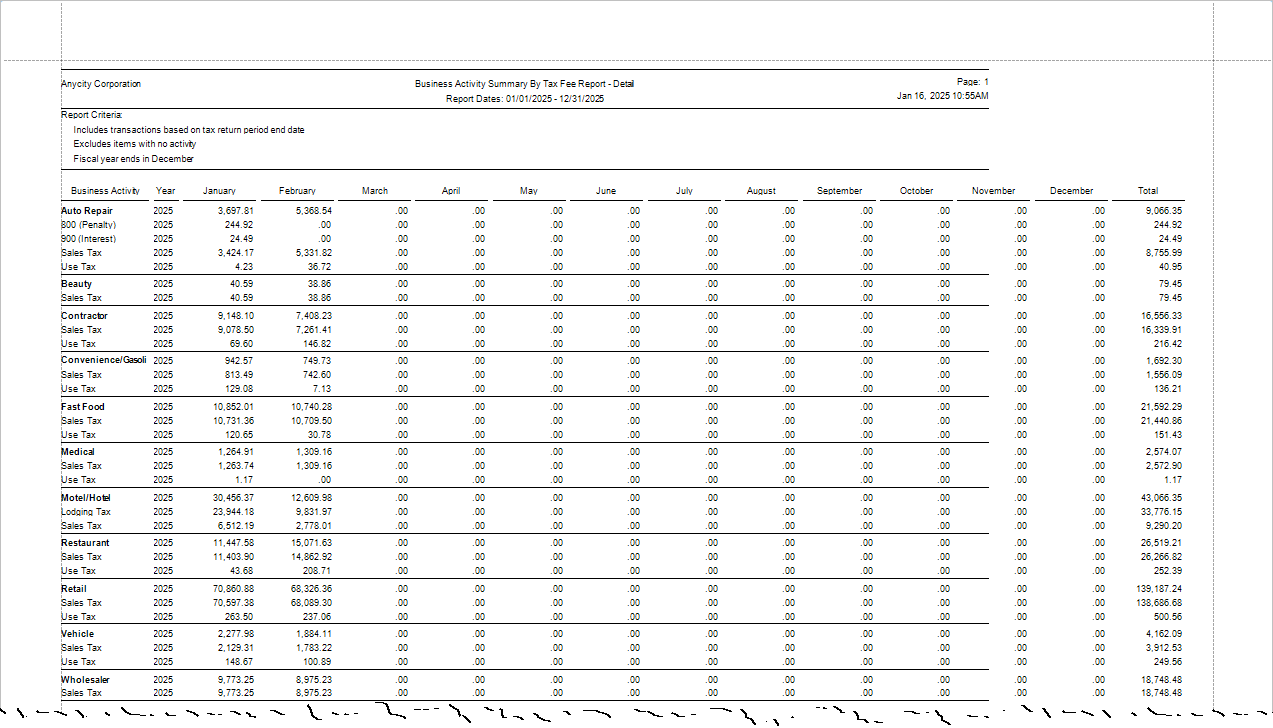

Connect master report definitions:
-
Business activity summary by tax fee report - Detail [Caselle Master]
-
Business activity summary by tax fee report - Summary [Caselle Master]
This report is included in the 2025.02 release.
Printing a business activity summary by tax fee report
1. Open Connect Business Tax Collection > Reports > Business Activity Summary by Tax Fee Report.
2. Select a report definition.
3. If needed, set up the report options to customize the report.
Include items with no activity
4. Click Print  (CTRL+P).
Options
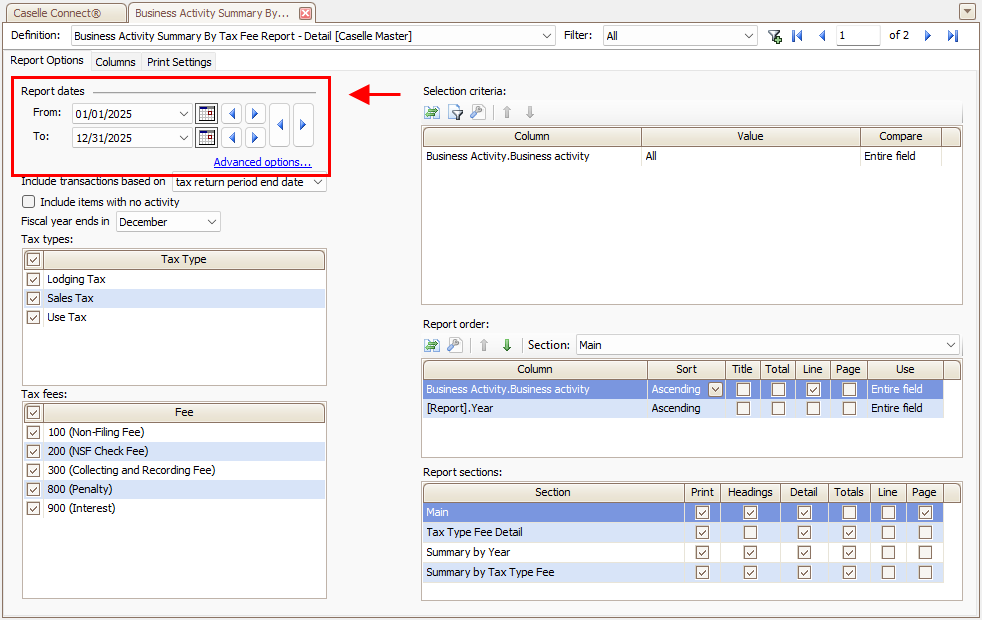
Report date
Select the report date range.
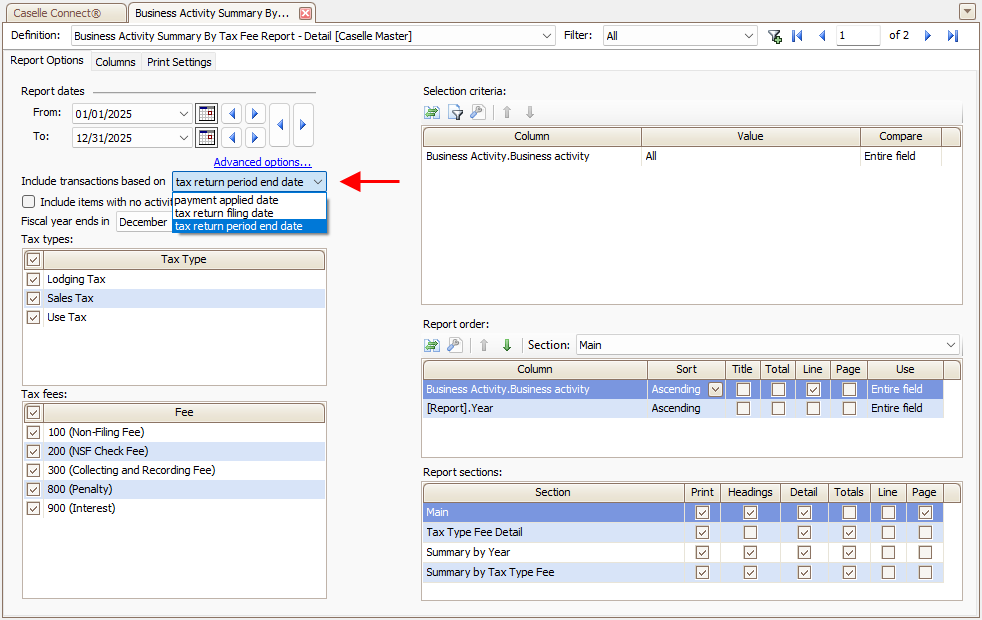
Include transactions based on
Select the basis for selecting transactions.
-
Tax return period end date. Select transactions based on whether the tax return was created on or before the period end date.
-
Payment applied date. Use the date when payment for the tax return was submitted.
-
Tax return period end date. Filter transactions using the period end date to select tax returns.
Include items with no activity
Select records when the prior tax year amount is zero or blank and the current year tax amount is zero or blank.

Fiscal year end in [MMM]
Select the month that marks the end of a 12-month cycle for calculating annual financial results, report taxes, and prepare financial statements.

Tax types
Select the tax types to include in the report. To add a tax type to the list, use Organization > Tax Types.

Tax fees
Select the tax fees to include in the report. To add a tax fee to the list, use Organization > Fees.

202502, 2025Jan16
Copyright © 2025 Caselle, Incorporated. All rights reserved.