How do I add a link to a service/work order in a notification?
Notifications
To add a link to a service/work order to the content that is sent in a notification, download and install the 2023.05 release. The 2023.05 release will add a link to the service/work order. When a user clicks on the link, it will open the service/work order so the user can see more information.
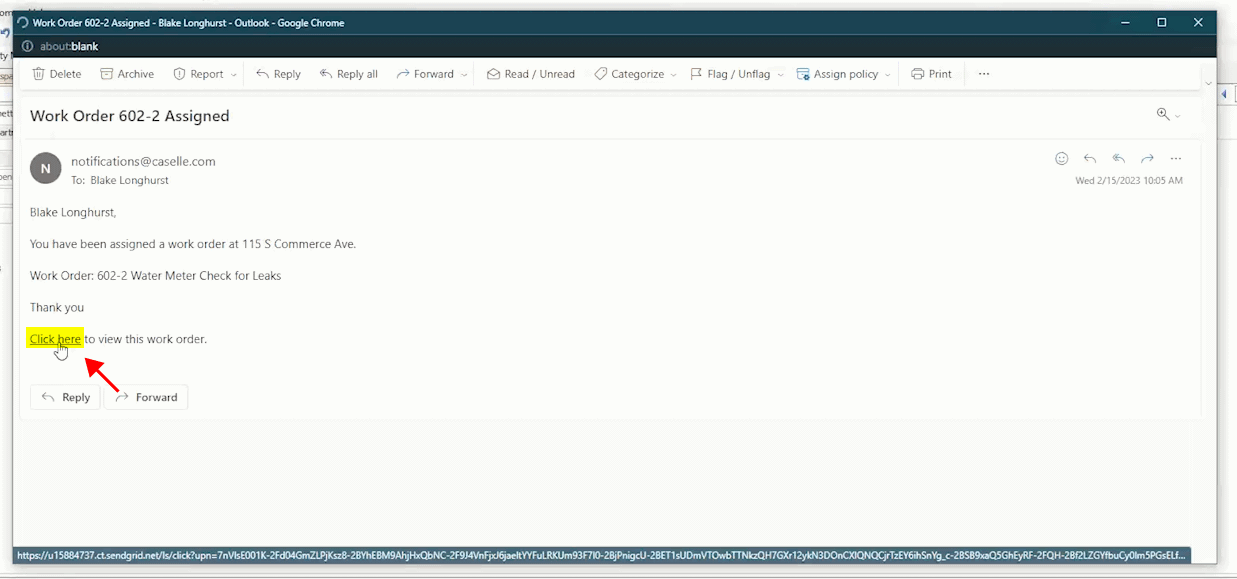
What it looks like in the notification
This is the link users will click on to view the service/work order in Connect Online. Connect Online can use any internet browser on a computer, tablet, or smart phone. If the service/work order has more than one action, the notification will include the service/work order number and the sequence number.
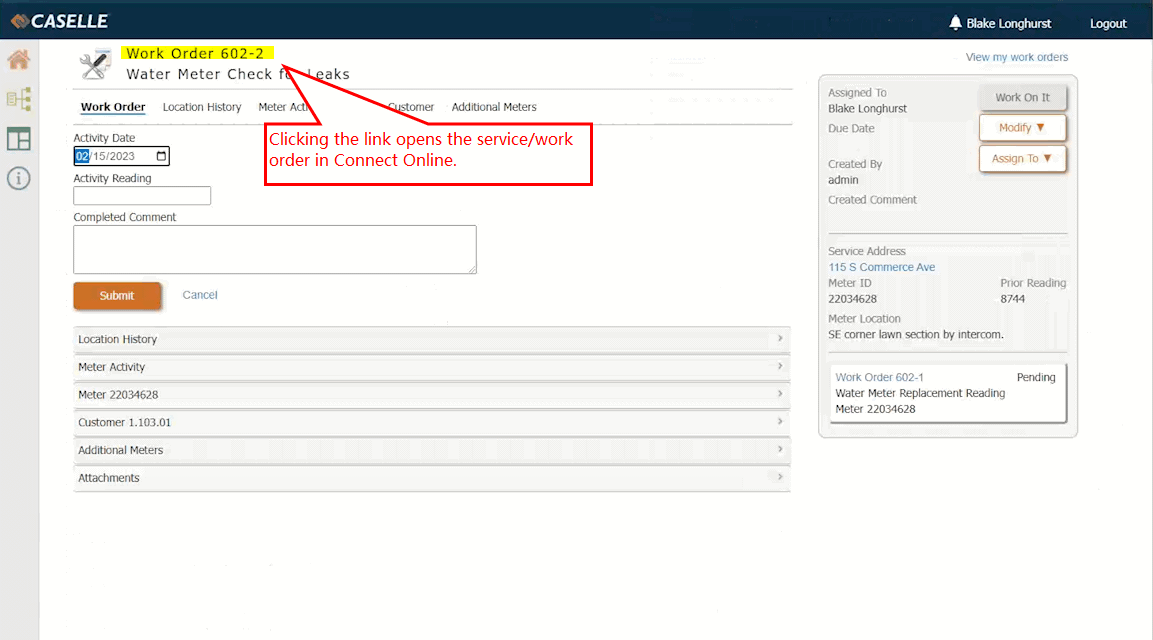
What happens when a user clicks the link
Log in and then click on the link in the notification. Clicking the link will open the service/work order in Connect Online. The customer can review the service/work order details on their own.
202305, 2023Mar08
Copyright © 2025 Caselle, Incorporated. All rights reserved.