How do I change my default tab?
Customer Inquiry
The default tab is the first tab that shows up when you launch Customer Inquiry. You can change the default tab to select the tab that you use most often. Watch a video about changing the default tab and lookup (1m27s).
Do this...
1. Open Connect Utility Management > Customer Inquiry.
2. Click Options (F12).
3. Use the Default Tab menu to select the tab that you want to see when you launch Customer Inquiry.
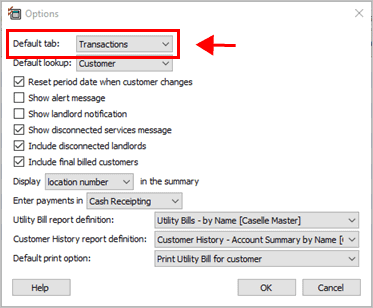
Default Tab in Customer Inquiry
4. Click OK.
The default tab is selected and saved.
2019.08. 2019May31
Copyright © 2025 Caselle, Incorporated. All rights reserved.