How do I view my employee's timesheet? (Connect Online) (Managers)
Connect Online Timesheets
If you're a department manager, you can look at the timesheets for employees in your department. Depending on how Connect and Connect Online are set up, you may be able to edit, review, and submit timesheets for employees in your department.
Viewing my employee's timesheet
1. Open My Dashboard.
2. Click the link titled View My Timesheet.

View My Timesheet link on the Time Clock Widget
To add the Time Clock widget to My Dashboard, see the help topic titled How do I add the Time Clock widget to My Dashboard?
3. Use the Settings pane to filter employee's by department, team, and position type.

Settings pane
Note: If the Settings pane is missing, click the Settings button  .
.
4. Click an employee's name.
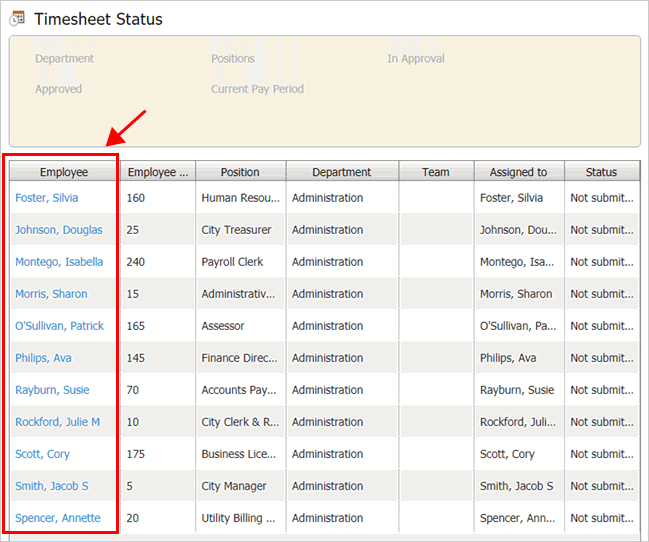
Employee names on the Timesheet Status page (Manager's view)
The employee's timesheet displays.

Employee timesheet
2019.05, 2019Mar27
Copyright © 2025 Caselle, Incorporated. All rights reserved.