How do I delete a clock in/out time? (Connect Online)
Connect Online Timesheets
Delete a time entry from your timesheet to remove it. Each time entry includes a clock in time and a clock out time. If you delete both the clock in time and the clock out time from the timesheet you will delete the time entry from the timesheet.
Deleting a clock in/out time
1. Open My Dashboard.
2. Click the link titled View My Timesheet.

View My Timesheet link on the Time Clock Widget
To add the Time Clock widget to My Dashboard, see the help topic titled How do I add the Time Clock widget to My Dashboard?
My Timesheet displays.
3. Click on a time entry to edit it.
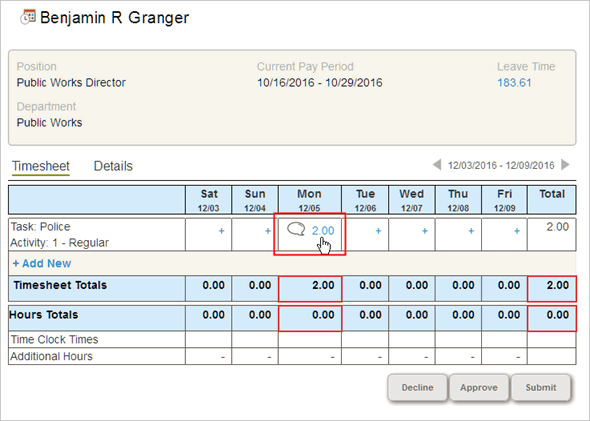
Selecting a time entry on My Timesheet
My Timesheet expands to show the Hours Allocation section.

Hours Allocation section on My Timesheet
4. Click Delete.
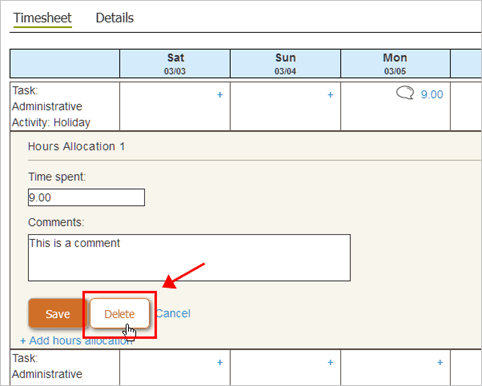
Delete button on My Timesheet
The time entry is removed.
2018.05, 06Mar2018
Copyright © 2025 Caselle, Incorporated. All rights reserved.