How do I delete job postings? (2024.11)
Job Postings
Use Delete Job Postings to permanently remove a job posting and any applicant job posting records.
What if I only want to delete the applicant job posting records but I want to keep the job posting? If you only want to delete the applicant job posting record, close this view and use Modify Existing Applicants to remove a job posting from an applicant's record.
This view was updated with a new look and feel in the 2024.11 release.
Step 1: Back up the database
Make a backup of the Human Resources database. This view will modify or delete transactions. If you need to restore deleted transactions, you will need to use the backup. (System Management > Send Databases) [More]
Step 2: Delete job postings
1. Open Connect Human Resources > Job Postings > Delete Job Postings.
2. In the Delete job postings closed on or before box, enter a date.
Job postings and applicant job postings with a close date that occurs on or before the date entered will be deleted when you run this view.

3. Use the selection criteria to filter job postings. (Optional)
Double-click in the selection criteria to filter the job postings closed on or before the entered date. You can add filters and set the filter value.
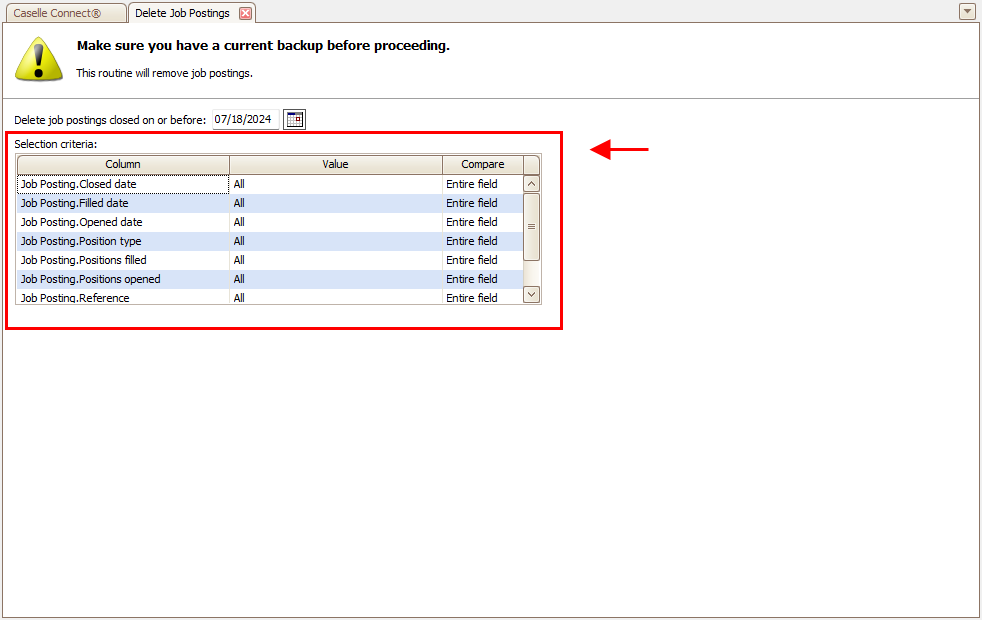 Selection criteria
 Filter by:
-
Job posting closed date
-
Job posting filled date
-
Job posting opened date
-
Job posting position type
-
Job posting positions filled
-
Job posting positions opened
-
Job posting reference number
4. Click GO  (CTRL+G).
The job postings are deleted.
202411, 2024Jul18
Copyright © 2025 Caselle, Incorporated. All rights reserved.