How do I view an applicant's task lists?
View task lists and tasks for applicants.
See the task lists an applicant needs to complete to apply for a job posting.
Viewing an applicant's task lists
1. Open Connect Human Resources > Applicants > Applicant Inquiry.
2. Use the Applicant field to enter an applicant name. Press Enter.
3. Click to select the Job Postings tab.
4. Use the pane on the Job Postings tab to select a job posting.
5. Click to select the Task Lists subtab.
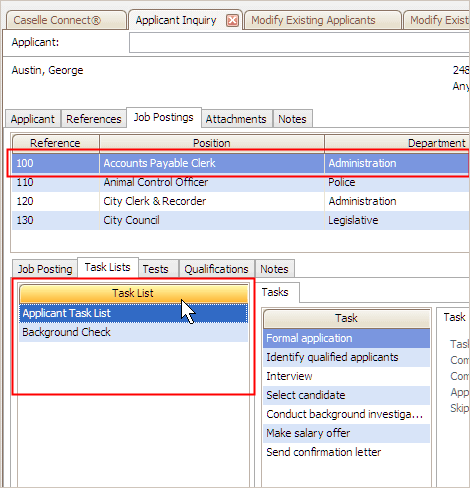
The Task List pane displays all of the task lists that have been assigned to the applicant. Clicking on a task list will show you the tasks. If you need to update an applicant's tasks or task lists, see the help topic titled How do I add a task list to job posting?
Copyright © 2025 Caselle, Incorporated. All rights reserved.