What is a debit override account?
Add a debit override account to a pay code.
Use a Debit Override Account when the organization needs to make a one-time change to the GL account that is assigned to the selected funds.
Assigning a debit override account to the employer's portion of the pay code
1. Open Connect Payroll > Organization > Pay Codes.
2. Look up a pay code.
3. Click to select the Employer tab.
4. Click to select the Debit Override Account subtab.

Debit Override Account subtab
5. Click the Add a New Override Account button.

Add a New Override Account button
6. Enter the Funds.
You can type in the funds or click the Values button to look up funds.

Funds
7. Use the Override Account menu to select the GL account the pay code will use instead of the default GL account.
You can search for a GL account or use a partial account.
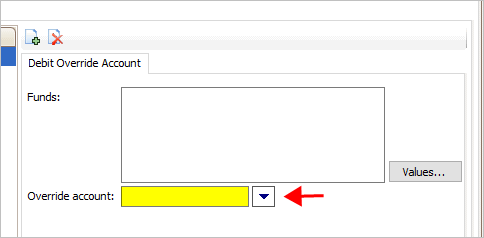
Override Account
Payroll will use the debit override account instead of the default GL account on the selected funds.
2019.02, 2018Dec18
Copyright © 2020 Caselle, Incorporated. All rights reserved.