6j. Upload electronic W-2 file (New)
Payroll Year-end Checklist
Use the Business Services Online portal, run by the Social Security, to log in and upload the electronic W-2 file.
Watch a video - Steps 6i-j. Create BSO ID, Create electronic file, Update electronic file
Uploading electronic W-2 file
1. Open an internet browser and then navigate to https://secure.ssa.gov/RIL/SiView.action?LVL=7&URL=/RIL/bso
Business Services Online Home page: https://secure.ssa.gov/RIL/SiView.action?LVL=7&URL=/RIL/bso
Social Security - Employer W-2 Filing Instructions and Information: https://www.ssa.gov/employer/
Can Caselle employees help me submit my electronic W-2 file? Caselle employees are not trained to support electronic W-2 submissions using the BSO website or SSA website.
2. Sign in.
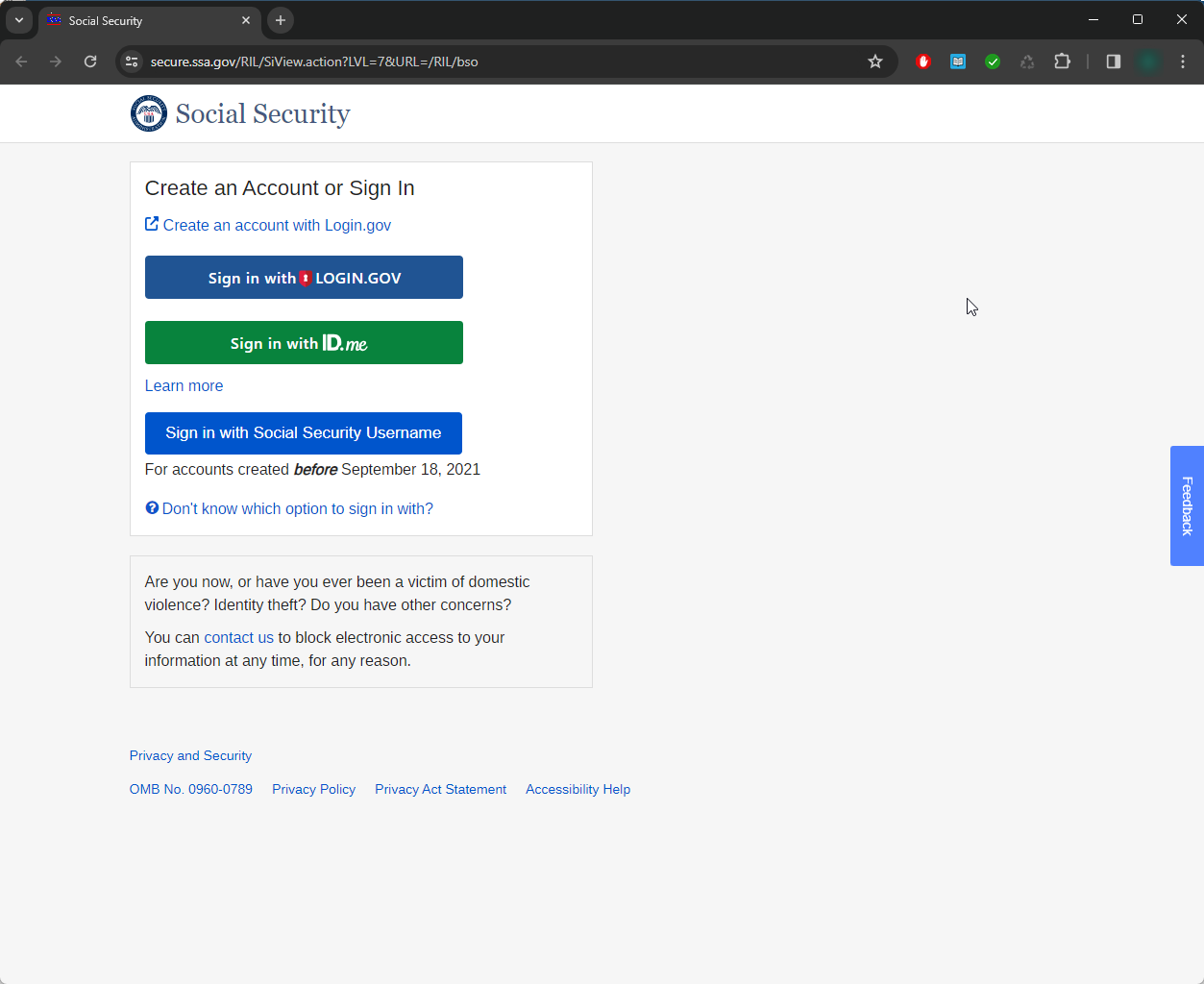
3. Follow the instructions on the screen to upload an electronic test file to AccuWage to make sure the electronic file can be processed.
4. Next, upload the electronic file for processing.
202411, 2024Dec10
Copyright © 2020 Caselle, Incorporated. All rights reserved.