How do I change the properties on a termination check?
Checks
Update the options that Connect will use to calculate a termination check. You can set up separate default options for payroll checks, supplemental checks, termination checks, and manual checks.
Changing the properties on a termination check
1. Open Connect Payroll > Employees > Enter Termination Checks.
2. On the Termination Checks tab, set up the options for printing termination checks.
These are the default option that will be used to calculate a termination check. To return to the Options window, click Options (F12).
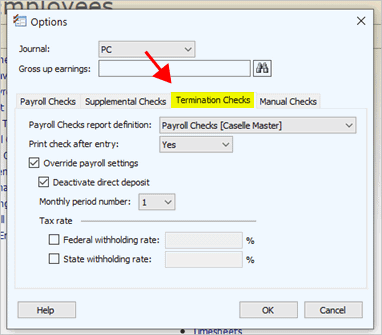
Termination Checks tab
Payroll check report definition
3. Click OK.
The termination check options have been saved. You're ready to enter the termination check.
202005, 2020May19
Copyright © 2020 Caselle, Incorporated. All rights reserved.