How do I change my default journal for calculating payroll checks?
Payroll checks
The default journal is the journal that Connect will use to record the calculated payroll check amount.
Changing my default journal
1. Open Connect Payroll > Employees > Calculate Payroll Checks.
2. Click Options  (F12).
3. Use the Journal box to select a journal code.
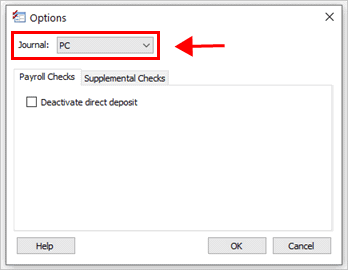
Journal box
4. Click OK.
The default journal is saved.
202005, 2020May05
Copyright © 2020 Caselle, Incorporated. All rights reserved.