How do I export account list to PDF?
Connect Online
Save the accounts from the Account List page in Connect Online as a PDF. Start by setting up the search list to show the accounts and then click Export to PDF  .
.

Account List page, Export to PDF button
The PDF is titled [YYYYMMDD]AccountList.pdf and saved to the Downloads folder.
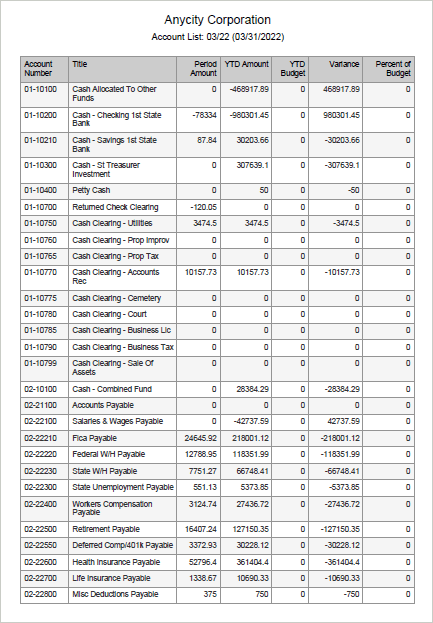
Account List PDF
202205, 2022Mar22
Copyright © 2025 Caselle, Incorporated. All rights reserved.