Payment Types
Set up a payment type to receive payments for cash, check, money order, credit card, and electronic checks. Based on the payment type, you can choose options to make it easier for the cash receipting clerk to enter the customer's payment information.
When you enter a payment entry, the payment types that are saved in the Payment Types table will be included in the payment types menu, like this...
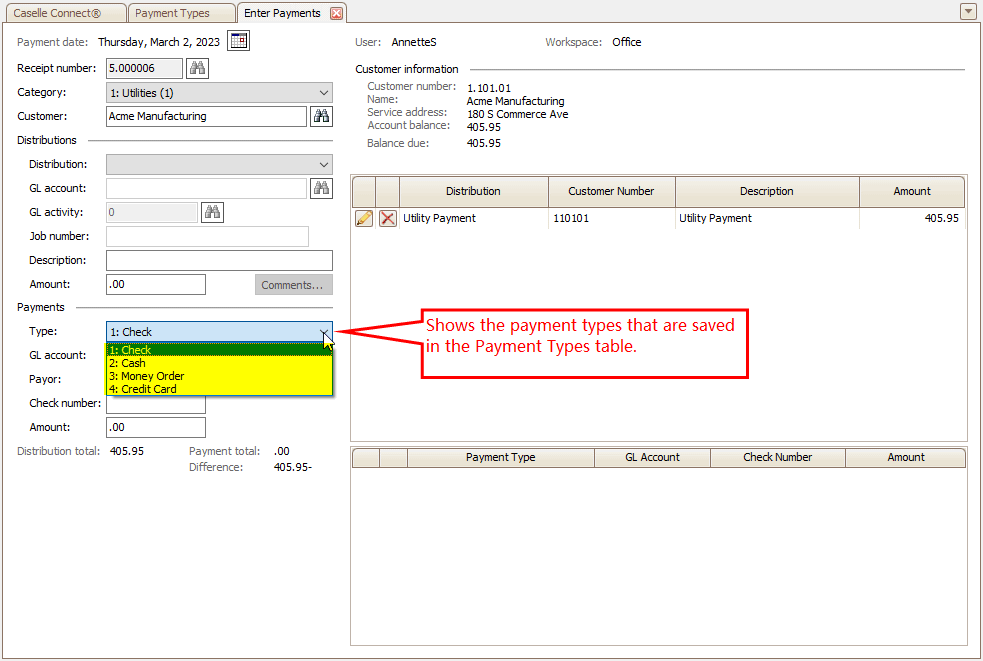
Enter payments view, Payment type menu
Setting up payment types
Here are some of the most common payment types. You can follow the instructions to set up the payment type, you can use the information to create a custom payment type that fits your organization's needs.
How do I set up a payment type for credit cards?
How do I set up a payment type for checks?
How do I set up a payment type for cash?
How do I set up a payment type for money orders?
---
What is a GL combined deposit?
How do I set up a payment type to add a signature line to the receipt?
How do I set up a payment type to give change?
How do I set up a payment type to print a receipt for the customer?
How do I set up a payment type to request a payor?
How do I set up a payment type to require a check number?
How do I add a payment type for utility-qualified account payments?
How do I print a customer copy receipt for a credit card?
How do I print receipts by payment type?
Troubleshooting
How do I fix "One of the above payment types must have the change flag set"?
How do I process a credit card payment?
Copyright © 2025 Caselle, Incorporated. All rights reserved.