How do I redisplay checks?
Enter Checks
Use Redisplay to show the checks that were created on a check date.
Watch a video
Updated 19Jun2018
Redisplaying checks
1. Open Connect Check on Demand > Checks > Enter Checks.
2. Click Redisplay (CTRL+SHIFT+F8).

Redisplay button
The Redisplay screen displays the checks that were created on the check date.
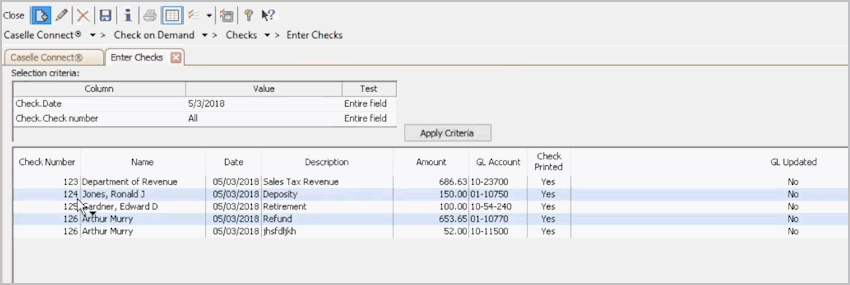
Redisplay screen
3. If you want to see the checks that were created on a different check date, use the Selection Criteria to enter a new check date.
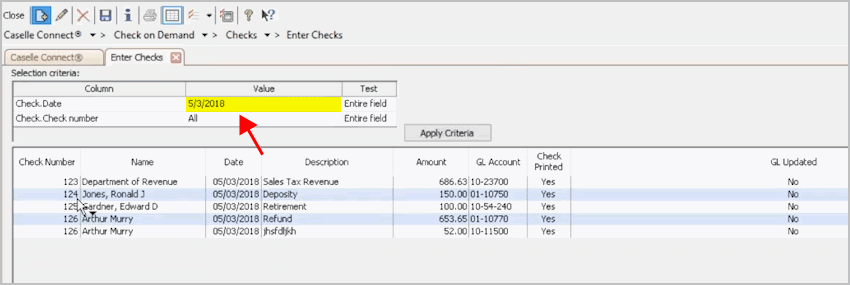
Selection Criteria - changing the Check Date
Updated 19Jun2018
Copyright © 2025 Caselle, Incorporated. All rights reserved.