How do I print a violation activity summary?
Reports
Print a report to review entries that add, modify, or delete transactions related to a violation.
Printing a Violation Activity Summary
1. Open Connect Community Development > Reports > Violation Activity Summary.
2. Select the report date range.
3. Select the report options.
4. Click Print  (CTRL+P).
The report prints.
202202, 2021Dec06
Dates based on
Select transactions to include in the report based on the violation date, created date, due date, or resolution date. The violation date is the default setting for this report.

Dates based on
Violation codes
Select the violation codes to include in the report. To select a code, click to select the checkbox next to it. To learn more about violation codes, click here.
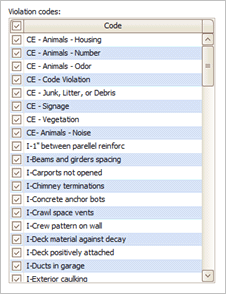
Violation codes
Copyright © 2020 Caselle, Incorporated. All rights reserved.