How do I add/remove inspections from a project?
Projects
Change the inspections assigned to a project. You can also use Connect Online to add or remove inspections.
Adding inspections to a project
1. Open Connect Community Development > Planning and Zoning.
2. Use the field titled Project to enter a project name or number. Press Enter.
3. Click to select the Inspections tab.
4. Click Add a New Inspection.
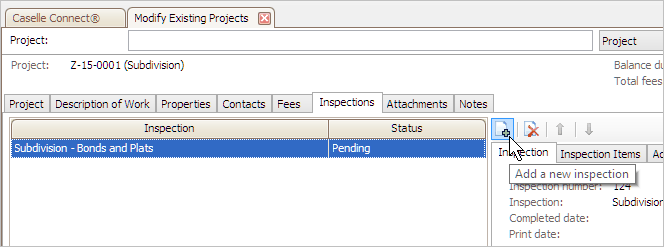
A Search form displays a list of all of the inspections in the Inspections table.
5. Click to select an inspection and then click OK.
The inspection is added to the project.
Removing inspections from a project
1. Open Connect Community Development > Planning and Zoning.
2. Use the field titled Project to enter a project name or number. Press Enter.
3. Click to select the Inspections tab.
The list displays all of the inspections that have been assigned to the project.
4. Click to select an inspection.
5. Click Remove the Selected Inspection.
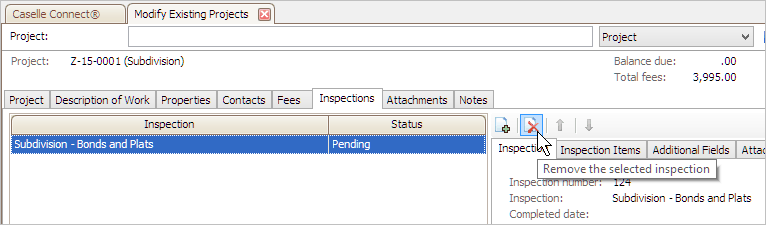
The inspection is deleted from the project.
Copyright © 2020 Caselle, Incorporated. All rights reserved.