How do I add a fee to a permit?
Permits
Add additional fees to a permit to include tax, land use fees, miscellaneous charges, and so on to the permit cost. A fee is a charge billed for services rendered. Use the options on the Fees tab to add the fees that apply to the permit type. When the permit type is applied, the additional fees will be assessed. The fees display in the order in which they will be applied.
Adding a permit
1. Open Connect Community Development > Permits > Modify Existing Permits.
2. Use the Permit field to enter the permit number. Press Enter.
3. Click to select the Fees tab.
4. Click Add New Fee.
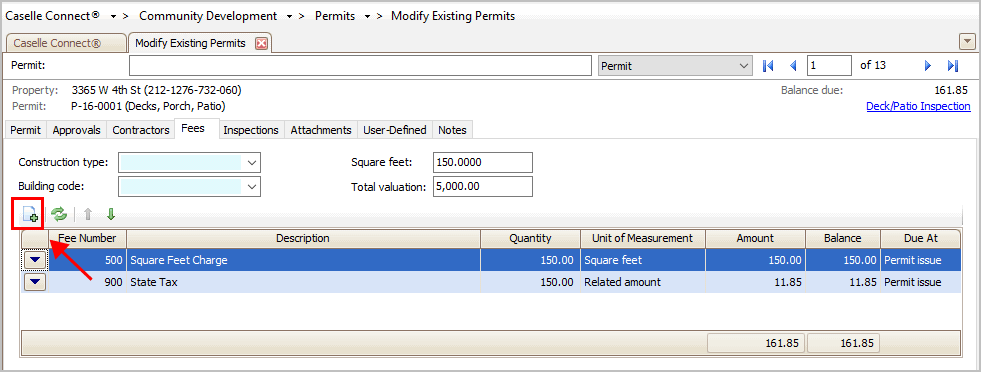
Add New Fee button
The Search form displays a list of fees.
5. Select a fee and then click OK.
Connect adds the fee to the fee list.
6. Review the fee and enter any additional information.
Some fees calculate based on quantity, unit of measure, amount, or balance. If the fee uses this information, you'll need to make sure the information stored in these fields is correct.
7. Click Save (CTRL+S).
The fee is saved.
Updated 20Mar2018
Related Topics
Copyright © 2025 Caselle, Incorporated. All rights reserved.