A master category groups standard, penalty, and tax categories for more efficient reporting.
The master categories are not saved in the Category table. You can find the master categories in the Master Category table in Organization.
|
Master category: |
Rental fee |
|
|
Sub-categories: |
City Park Pavilion Rental Fee |
|
|
Library Basement Rental Fee |
||
|
Pool Rental Fee |
||
1. Open Connect Accounts Receivable > Organization > Master Categories.
2. Click New (CTRL+N).
The form clears.
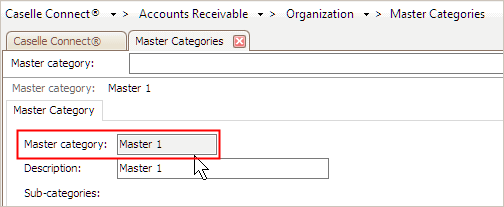
3. Enter the Master Category.
A master category is another tool for dividing and grouping categories based on their shared similarities.
What is the master category name?
Use the Master Category to enter a master category name (10 characters or less).
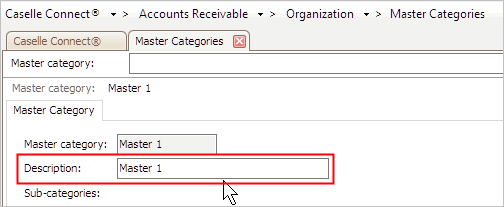
4. Enter the Description.
A description is a word or phrase that describes the character or features of the record.
5. Select the Subcategories.
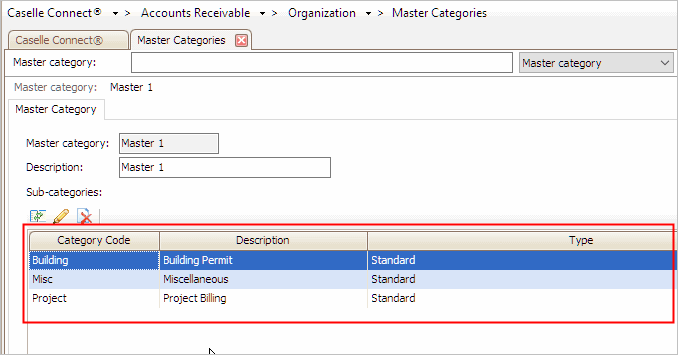
A subcategory is a category that belongs to a master category. When you run a report for a master category, the report will total all of the subcategories that belong to the master category as the master category total.
Click the Select Categories button.
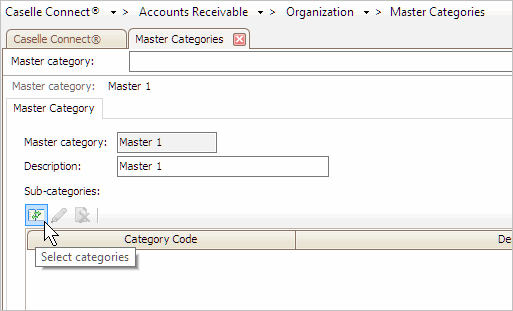
The Selection form displays.
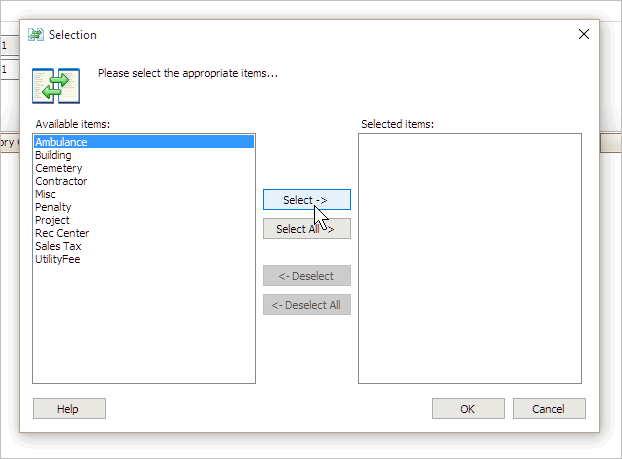
Move the categories to include in the master category to the list titled Selected Items.
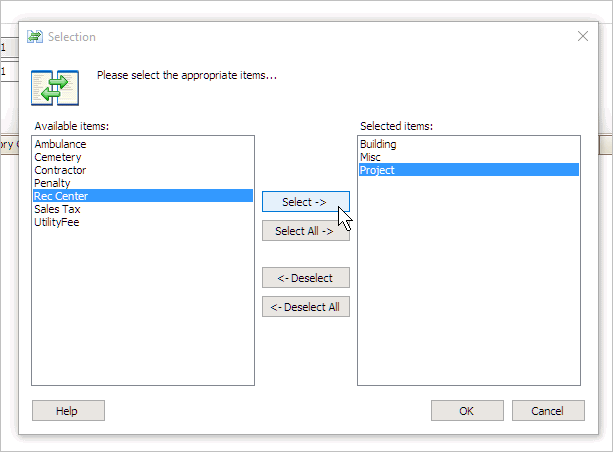
Click OK.
The subcategories display in the master category, like this...
6. Click Save (Ctrl+S).
The new master category is set up.