How do I view applied amounts and unpaid balances? (Inquiry)
Inquiry
Use the Applied Amounts column to view the amounts that have been applied to a transaction. Use the Unpaid/Unapplied Balances column to view the unpaid amount or unapplied amount. Unpaid amounts will show as positive numbers. Unapplied amounts will show as a negative number in parenthesis. You can find these columns on the Transactions and Detail tab in Inquiry.
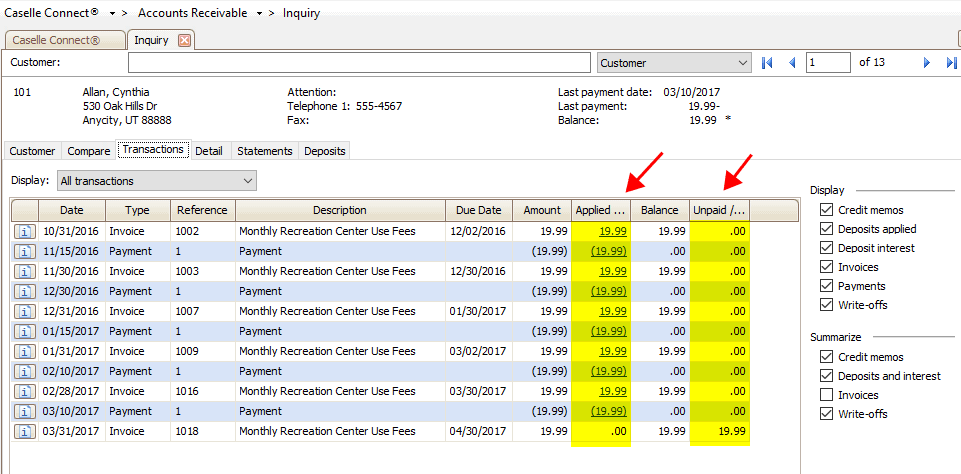
Applied Amounts and Unpaid/Unapplied Balances
Videos
Watch a video to view changes to the Transactions and Details tabs (4m16s)
23Apr2018
Copyright © 2020 Caselle, Incorporated. All rights reserved.