How do I copy notes to a PO?
Enter Requisitions
Use Copy Notes to Purchase Order to transfer the notes from the requisition to the notes section of the purchase order when the requisition is converted to a purchase order.
How do I change my preferences to always copy notes to a purchase order? Open Options (F12) in the Enter Requisitions view and then select the Copy Notes to Purchase Order checkbox. More
Copying notes to a PO
1. Open Connect Accounts Payable > Purchases and Requisitions > Enter Requisitions.
2. When you set up the requisition, click to select the checkbox titled Copy Notes to Purchase Order.
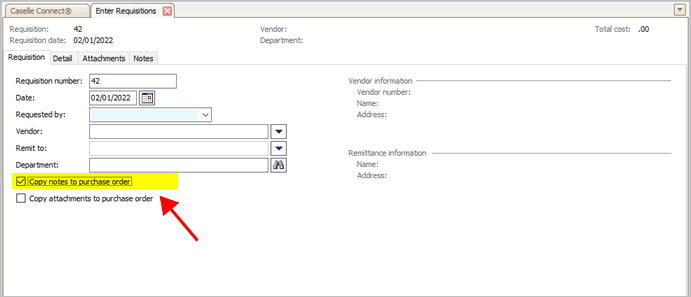
Copy notes to purchase order checkbox
When you create a purchase order from a requisition, Connect will copy the notes from the requisition to the notes section on the new purchase order.
202205, 2022Feb02
Copyright © 2025 Caselle, Incorporated. All rights reserved.