How do I use Purchase Order Inquiry?
Purchase Orders
Use Purchase Order Inquiry to search and review the PO detail, and the related invoices, requisitions, and vendors. If you want to display additional information, use the drill down tool to look at the record or transaction detail. The information displayed in Inquiry is view only, which means that information can be seen but not edited or updated.
Launching Purchase Order Inquiry from the Main Menu
1. Open Connect Accounts Payable.
2. Click Purchase Order Inquiry.
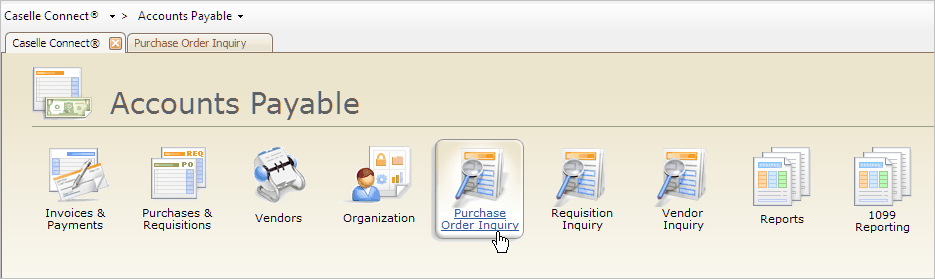
Connect Accounts Payable main menu
Launching Purchase Order Inquiry from Purchases and Requisitions
1. Open Connect Accounts Payable > Purchases and Requisitions.
2. Click the link titled Purchase Order Inquiry.
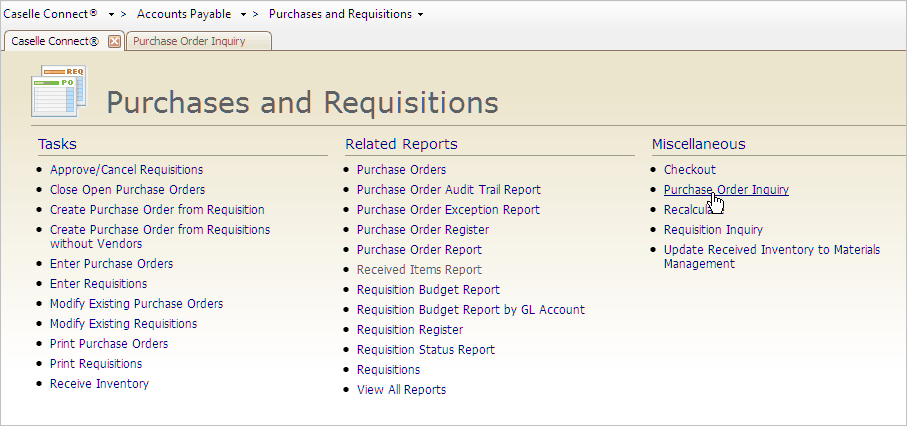
Purchases and Requisitions main menu
Launching Purchase Order Inquiry while running another routine
When you're running another routine, you can use the Inquiry button on the toolbar to launch Purchase Order Inquiry.
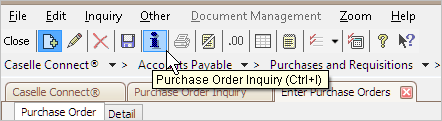
Purchase Order Inquiry button
Copyright © 2020 Caselle, Incorporated. All rights reserved.