I need to print a substitute 1099 Form to send to vendors. How do I do that? (2023.11)
Government Reporting
Issue
I need to send a 1099 Form to my 1099 vendors, but now I have to file electronically so I'm not using a pre-printed form to print 1099s. What do I do now?
Explanation
In 2023, the IRS changes decreased the maximum number of forms from 250 to 10. The ten forms includes any W-2s, 1099s, and ACA information returns filed by your organization, so most organizations will be filing electronically for 2023. In the past, 1099s were printed to a pre-printed 1099 Form and sent to each 1099 vendor. Filing electronically means you will still need to send a paper form to 1099 vendor..
Solution
You can use Caselle Connect to print a substitute 1099 Form. The substitute form will print the 1099 form with the vendor's 1099 information to plain paper, which you can send in the mail to the 1099 vendor.
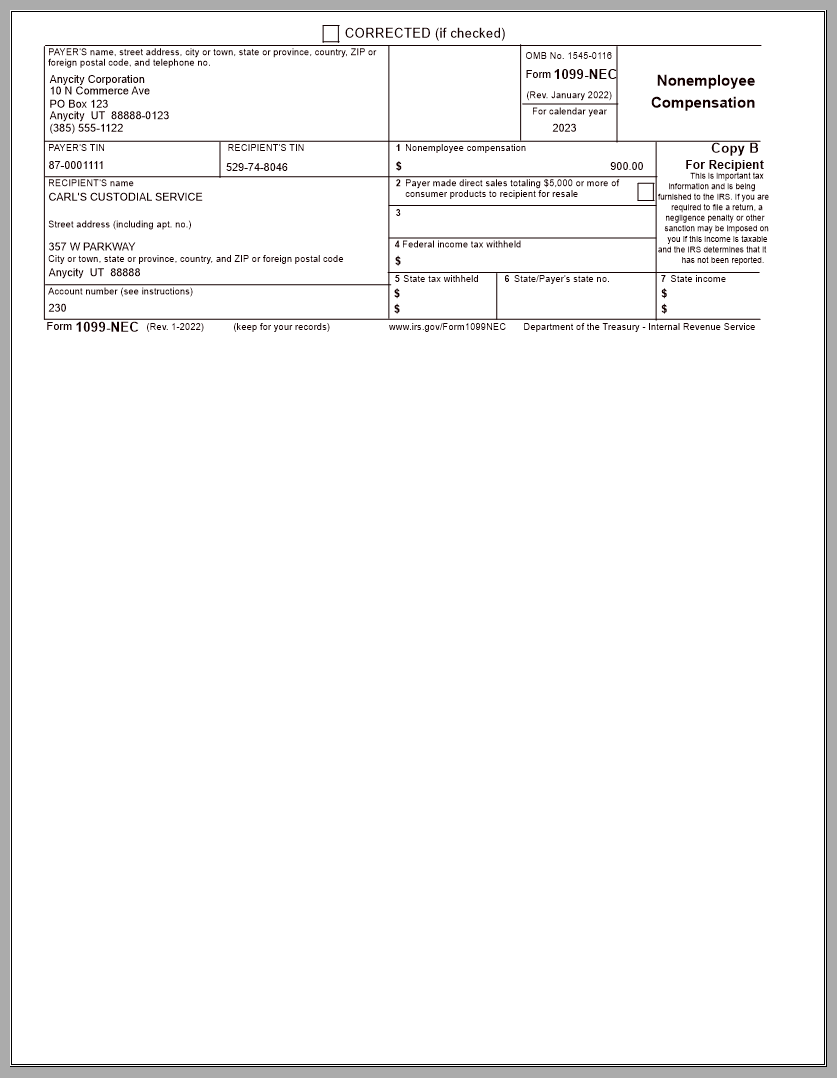
To print a substitute 1099 Form, download and install the 2023.11 release. When you launch the 1099s/1096 report, select the 1099 report title that matches the 1099 type, and then click the Forms tab. You'll see the 1099 Form box shows "Printable 1099 [Type] [Caselle Master]" where "Type" is replaced by the 1099 type.

Here's a list of printable 1099 Forms:
-
Printable 1099 CND Debt
-
Printable 1099 CND Debt w/Instr
-
Printable 1099 DIV
-
Printable 1099 DIV w/Instr
-
Printable 1099 GOV
-
Printable 1099 GOV w/Instr
-
Printable 1099 INT
-
Printable 1099 INT w/Instr
-
Printable 1099 MISC
-
Printable 1099 MISC w/Instr
-
Printable 1099 NEC
-
Printable 1099 NEC w/Instr
-
Printable 1099 REAL
-
Printable 1099 REAL w/Instr
-
Printable 1099 RET
-
Printable 1099 RET w/Instr
202311 2023Mar28
Copyright © 2025 Caselle, Incorporated. All rights reserved.