How do I close an active task?
Navigation
Using the Active Tasks menu to close an active tasks works the same way as if you had click the Close button in the application.
Closing an active task
1. Open Active Tasks  .
.

Active Tasks button on the application menu side bar
2. Click on a task to select it.
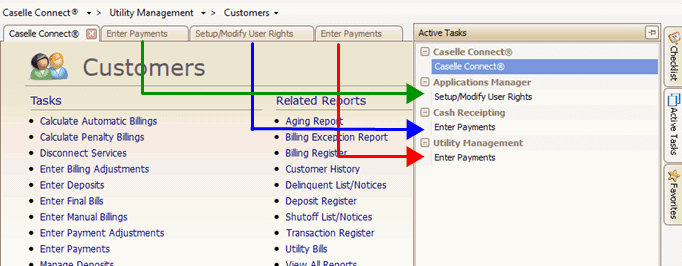
Active Tasks
Connect shows the task that you have selected.
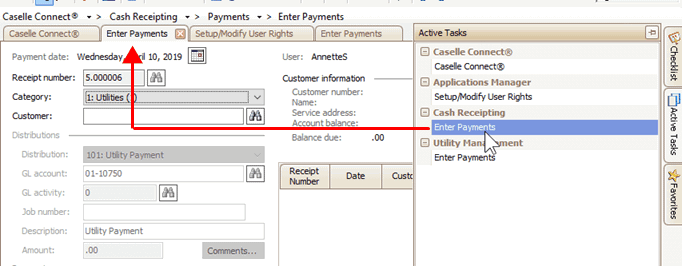
Focus changes to the selected task
3. Click Close (CTRL+F12).

Close button
The task is closed.
2019.02
Copyright © 2025 Caselle, Incorporated. All rights reserved.