How do I merge properties?
Master Properties
For example, Jane wants to merge Property 1 and Property 2. She realizes that she set up an extra property record that belongs to the same address as Property 1. When she runs this routine, the system will copy the data from Property 2, append the copied information onto Property 1, and then delete Property 2.

Before you get started
-
Back up the database. See the help topic titled How do I back up a database?
Merging property records
First, close the parcels that will be merged into a single parcel. Then, set up the new parcel that will replace the closed parcels.
Do this...
1. Open Connect System Management > Master Records > Split/Merge Properties.
2. Use the Date box to enter a transaction date.
Connect will use this date as the inactive date on the property record and the creation date on the new property record.
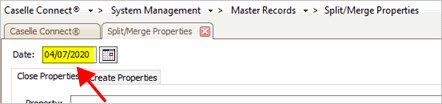
Date box
3. On the Close Properties tab, use the Property box to enter a parcel ID or property address.
Since you're closing at least two properties, you'll need to enter each parcel that will be merged into the new parcel.
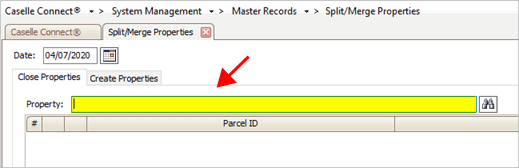
Property box
The closed properties will be added to the list.

Closed properties list
4. On the Create Properties tab, set up the new parcel and then, press Enter.
When you merge two or more properties, you'll need to assign a new parcel ID and address to the new parcel.
Set up a parcel ID and address for the new property.
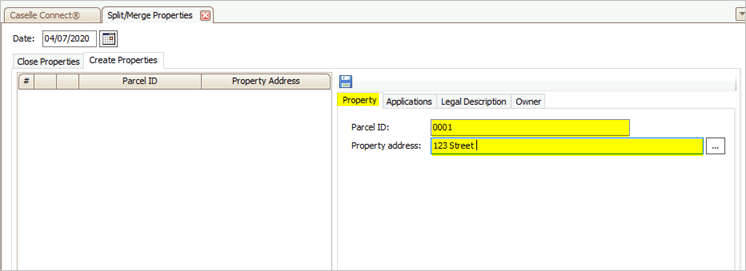
New parcel ID and property address
Link the new parcel to the Connect applications that will use it.
To link a new parcel, select the checkbox next to the application name and then set up the options on the tab with the application name. To learn more, see How do I look up an owner by application? (Split/Merge Properties)
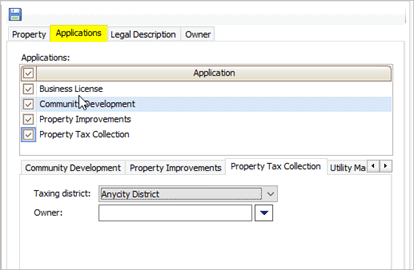
Applications tab
Enter the new parcel's legal description.
A legal description is a description that is legally sufficient to describe the parcel. It may use the legal description from the most recent deed. The property tax record and street address are usually not enough to provide an adequate legal description.

Legal description
Add the owner's information.
You can add the owner's information and link it to a master contact. Linking the owner information to a master contact will update the property information in every Connect application that is linked to the master contact. To learn more about master contacts, see How do I add a master contact?
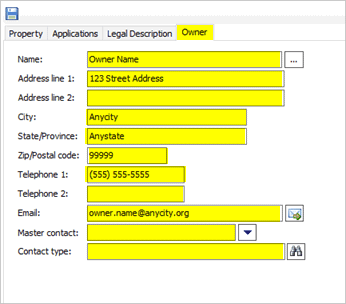
Owner information on the Owner tab
5. Click Save (CTRL+S).
The new parcel is added to the list on the left.
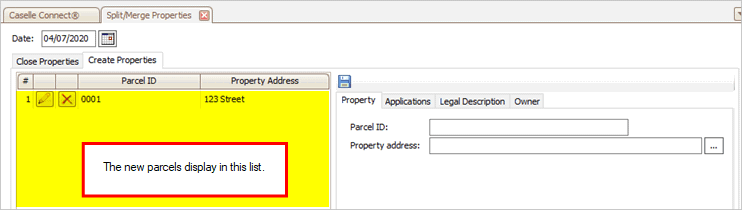
New parcel list
202002, 2020Apr08
Copyright © 2025 Caselle, Incorporated. All rights reserved.